

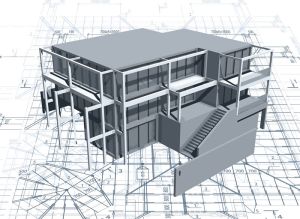
What is CAD
CAD is an acronym you’ll have come across if you’ve done any investigation into architecture for new builds or home renovations – but what is it and why is it useful for your building project?
What is CAD and how is it used in architecture?
Firstly, it helps to break down the acronym. CAD stands for Computer Aided Design. That means rendering what would have once been created on a drawing board on a computer, as a digital image.
It is the process of creating 2D and 3D designs that will be used as the basis for your project. Unlike the traditional method of architectural design, which was drawn by hand, the process is faster, more detailed, and easier to make adjustments if you want to make any alterations to the design.
There are lots of different software packages to help architects draw sections and elevations of their home and extension designs. The industry standard is AutoCAD by Autodesk, which is mostly used to create drawings in 2D but can produce 3D models as well. Then there’s Revit, made by the same company, which creates 3D modelling as standard.
Architects use these, and other software packages, to create scalable drawings from the initial building survey through to concept design, planning permissions, building regulations, etc. All these CAD architecture software packages are learnt as standard when architects and designers do their training, often alongside traditional hand drawing on a drawing board.

3D Printing, 3D Scanning, 3D Design & CAD Services
The benefits of CAD architecture
The main and most obvious benefit of using CAD in architecture in the speed in which designs can be drawn up, but the benefits don’t end there.
When dealing with a digital design it is easier to be accurate with dimensions down to the millimetre, which to the client means a clearer picture of what the end result will look like right from the initial drawings.
These points are both a great help when getting feedback from a client; any slight changes or adjustments to the plans can be made to the design almost instantly, speeding up the process and ultimately saving the client money too.
How we use CAD at Lincs 3D
With over 10 years 2D/3D engineering & product design experience within a range of industries, Lincs 3D have extensive knowledge of Autocad, Autocad Inventor, Autocad Advanced Steel, Autocad Revit and Solidworks.
We start using CAD architecture from the beginning, using a computer to physically draw the whole house design in 3D. From that, we can extract the necessary schedules, elevations and details.
…CAD Design services using a number of CAD products, Lincs 3D have extensive knowledge of Autocad, Autocad Inventor, Autocad Advanced Steel, Autocad Revit and Solidworks.